Know what’s in each tank, all flight.
Tank Switch tracks and manages your fuel so you know your tank balance at any time. It keeps a running count of the fuel in your left and right tanks, plans when to switch, and alerts you on iPhone and Apple Watch when it’s time.
Why it exists.
Your totalizer tells you how much fuel the engine has used in total. It doesn’t tell you how much came from each tank. To know that, pilots write down the starting fuel in each tank and the fuel used at every switch, then work out the rest in their heads: what’s left in each tank, how far apart they are, when to switch next, and how to land with them even.
Tank Switch keeps that record for you and does the arithmetic.
How it keeps count.
You tell it how much fuel is in each tank and which tank you start on. From then on, every gallon used is charged to the tank you’re on. When you switch, the count moves to the other tank.
Between readings it estimates fuel used from your fuel flow. Whenever you type in your totalizer’s fuel used, the estimate resets to that number, and both tank counts update.
Switches are planned in fuel used, not minutes, so a late switch or a change in fuel flow just updates the plan.
Using it on a flight.
- Before engine start.Tap Start a Flight. Enter the fuel in each tank: tap Full, Tabs or Last (what you landed with last time), or type each tank. Choose the tank you start on. If one tank is heavier, the app suggests starting on it. If you know your fuel at destination, enter it now or later.
- Taxi and takeoff.The flight starts on your taxi fuel flow. With location on, the app sees the takeoff (above 40 knots by default) and switches to your climb fuel flow. In cruise, tap Cruise, or set the exact flow from your fuel flow gauge with the slider, the −.1 and +.1 keys, or by typing it.
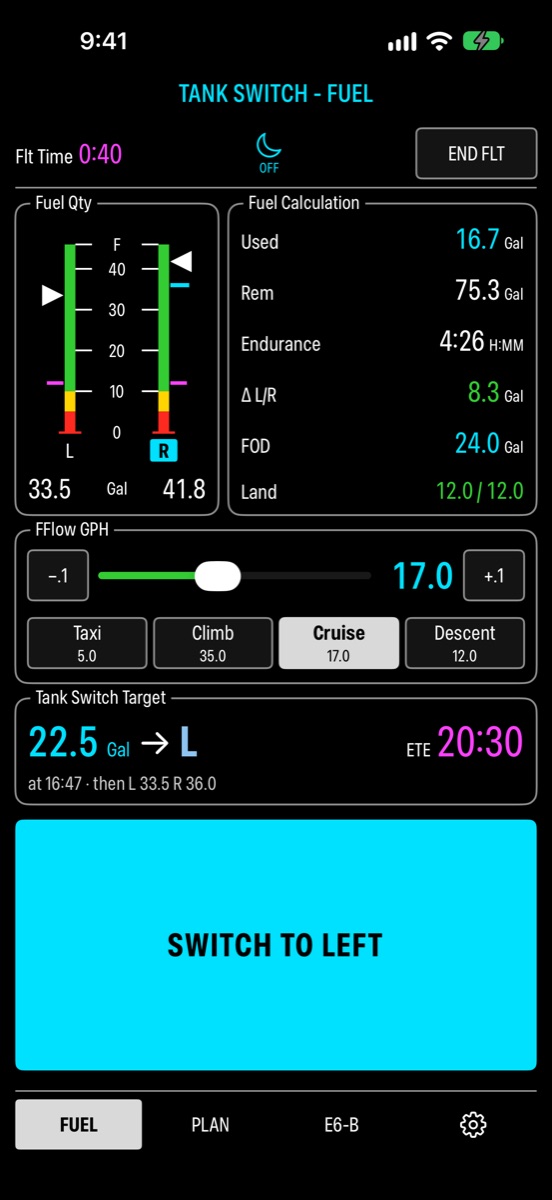
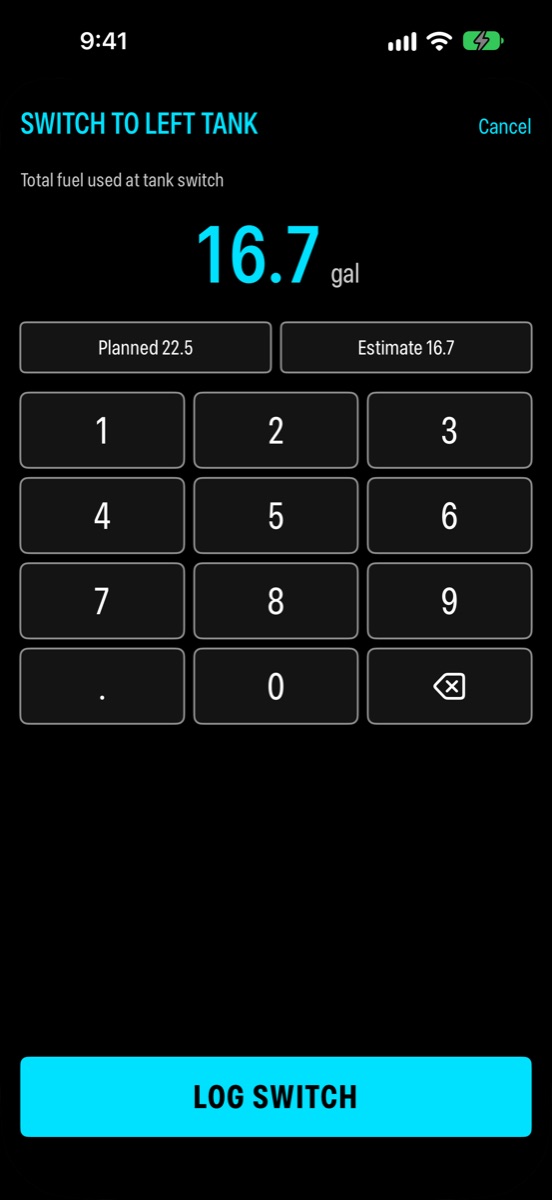
- Switching tanks.The Fuel page shows the next switch as a fuel used number and the tank, for example 22.5 → L, with a countdown. When it comes due, your iPhone rings and your watch taps until you switch. Move the fuel selector, tap Switch to Left, and confirm the fuel used. It’s filled in with the planned number, so on schedule that’s two taps.
- Checking against the totalizer.Whenever you like, tap Used and type what your totalizer shows. Each tank’s count, the imbalance and the plan update.
- Planning the landing.When your flight computer shows fuel at destination, tap FOD and enter it. The app moves the last switch so both tanks land with the same fuel, and shows the levels you’ll land with.
- After landing.The app sees the landing and, ten minutes later, asks whether to end the flight. The summary shows fuel used, what’s left in each tank, time on each tank and the number of switches. What you landed with becomes the Last option for your next flight.
How switches are planned.
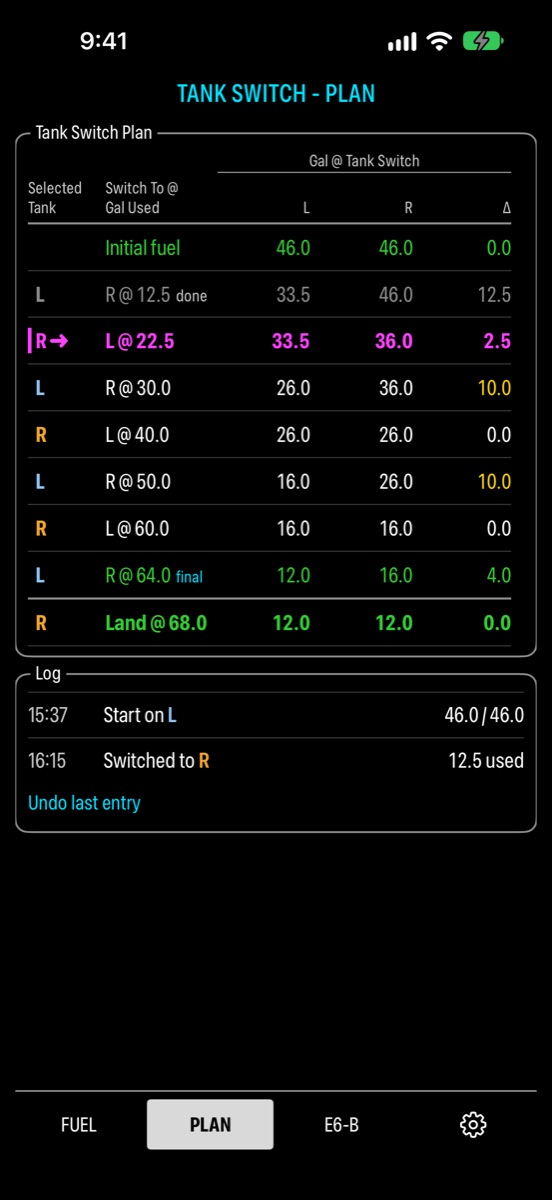
By default you switch every 10 gallons of fuel used, on round numbers: 10, 20, 30. Round numbers are easy to remember and easy to read off a totalizer.
If a switch comes late, the next leg is a full 10 so the tanks come back to even, and then the plan returns to round numbers.
Example. You switch late, at 12.5. The next switch is at 22.5, then 30, 40, 50.
The tanks are never planned further apart than your maximum imbalance (10 gallons by default). If a switch would go past it, the app moves the switch earlier and marks it early.
The Plan page lists every switch with both tank levels after it, and the landing levels at the bottom.
What you’re watching.
- Tank gauges. The fuel in each tank, the one in use highlighted, with your low-fuel lines and markers for where each tank will be at the next switch and at landing.
- Imbalance. How far apart the tanks are. Amber near your limit, red over it.
- Used, remaining and endurance. Endurance is at the current fuel flow.
- Next switch. The fuel used number, the tank, and the time to go.
- Low fuel. Two warning levels per tank, 10 and 5 gallons by default. An alarm sounds when the tank you’re burning reaches one, and when a tank runs empty.
Anything shown in cyan is something you set. Tap it to change it.
On iPhone and iPad.
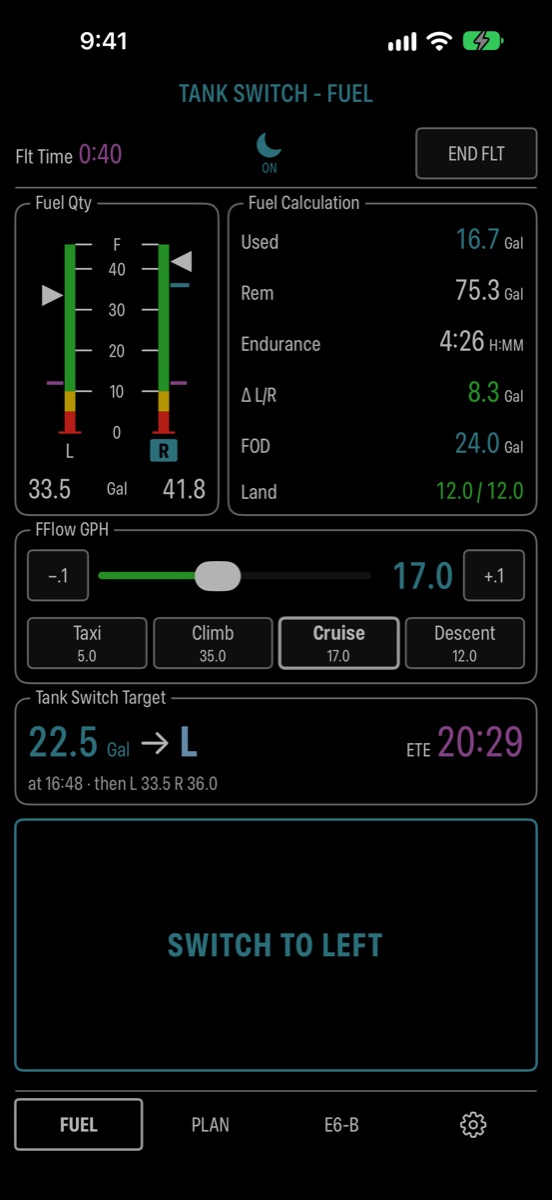
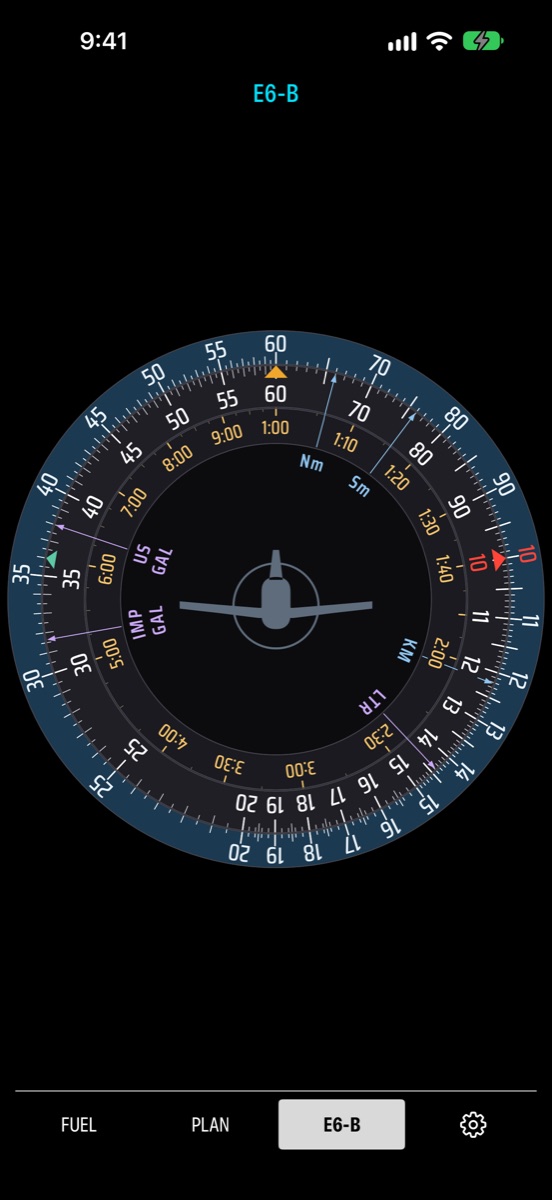
On iPhone, the Lock Screen and Dynamic Island show the countdown to the next switch while you use other apps. Two display styles to complement popular avionics are in Settings.
On Apple Watch.
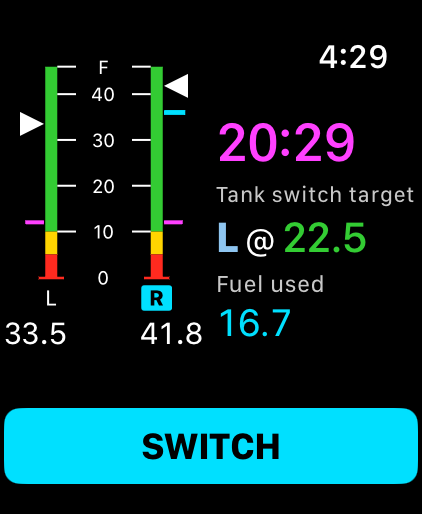
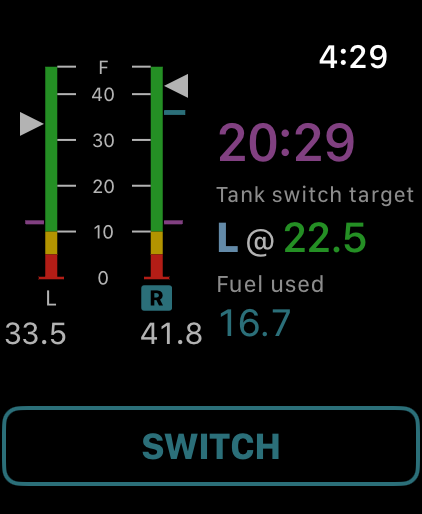
Start the flight on your iPhone. The watch then shows both tanks, the fuel used, the next switch and the countdown.
- At each switch your watch taps your wrist, and keeps tapping until you switch. Easy to feel through a headset.
- Tap Switch and turn the Digital Crown to your totalizer reading to log it. Update fuel used and fuel flow the same way.
- Anything you log on the watch appears on your iPhone, and the other way round.
- Watch-face complications show the countdown, the next switch and the fuel in the tank you’re using.
Settings.
Set these once for your airplane: gallons or pounds, tank names, your Full and Tabs quantities, maximum imbalance, how often to switch and the switch pattern, the two low-fuel levels, how early the alarm sounds, whether it rings on iPhone, Apple Watch or both, and the fuel flow for taxi, climb, cruise and descent.
Questions.
Is it a fuel gauge?
No. It works from the numbers you give it: starting fuel, fuel flow and your totalizer readings. It doesn’t connect to the airplane.
Which airplanes?
Airplanes with a left and a right tank that you switch by hand.
Gallons or pounds?
Either. The app doesn’t convert between them; it uses the unit you enter.
Does it need internet?
No.
iPad?
Yes. The iPad rings its own alarms. The Apple Watch app needs an iPhone.
What does it collect?
Nothing. No account, no ads, no tracking. Your flights stay on your devices. Privacy policy.
Questions and bug reports: [email protected]
A planning aid. Tank Switch estimates fuel from what you enter. It does not read your aircraft’s fuel system and does not replace your fuel gauges, a visual check or your POH.